ISO
Multi-ISO NDI record.
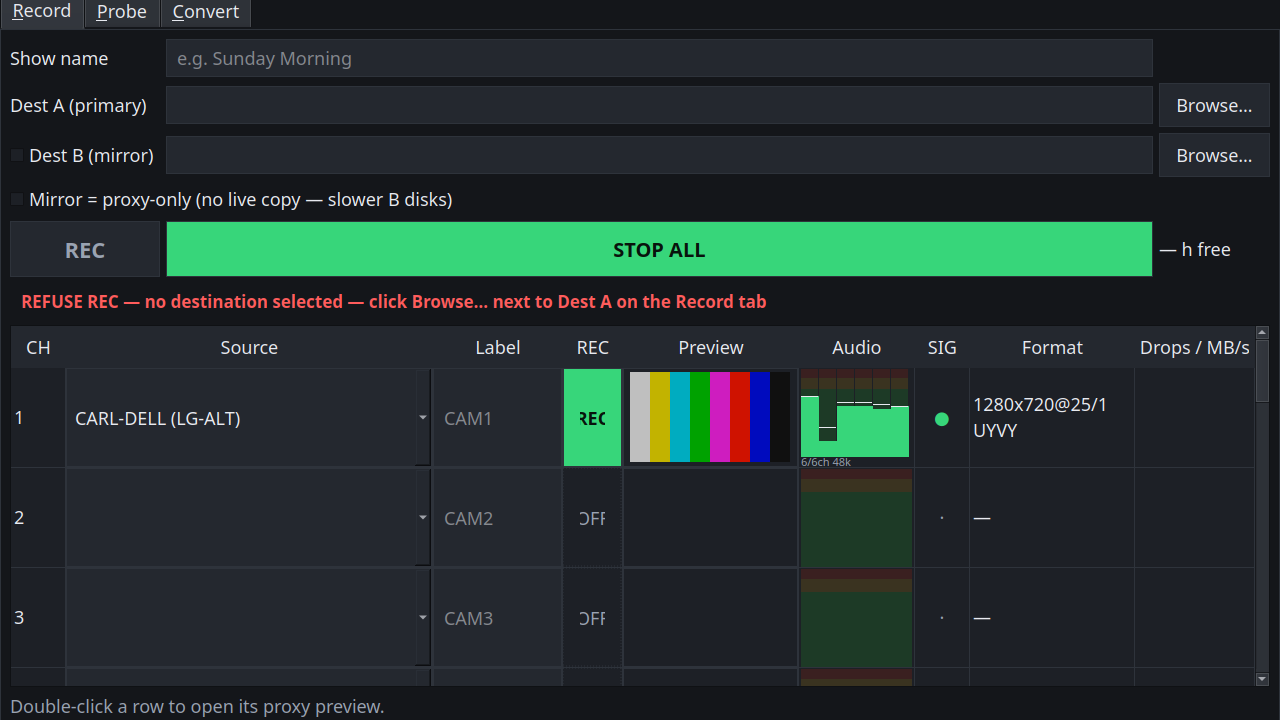
Record multiple NDI sources as ISO files in one session.
Lumengrid Record
Multi-ISO NDI recorder. Native write. Set the show name before REC. Destinations, capacity probe, segmented takes. NDI included.
Linux · Ubuntu 24.04+ · 30-day trial · then $19/mo or $149/yr
Features
ISO
Record multiple NDI sources as ISO files in one session.
Write
High Bandwidth NDI (SpeedHQ) is written as-is to a master MOV — no decode, no re-encode on the record path. After STOP, optional convert to DNxHR, ProRes, or H.264 MP4. Masters stay untouched.
HX
High Bandwidth NDI (SpeedHQ) records with native write. NDI HX / HX2 / HX3 are not supported in this build.
Show name
Set the show name before you press REC so destinations stay organized. Destinations, capacity probe, segmented takes.
Pricing
Record · Monthly
After the 30-day in-app trial. Cancel anytime in the billing portal — access and your license keep working until the end of the paid period. No refunds.
Record · Annual
Same Lumengrid Record. Billed yearly. Cancel in the billing portal. No refunds.
Payments are processed by Stripe. Manage or cancel in the billing portal (same portal for all products).
Install
Ubuntu 24.04 or newer, 64-bit. AppImage or .deb. NDI included. The NDI 6 runtime is included in every Record download — you do not need a separate NDI install. No Windows or Mac build.
On Linux, install avahi-daemon for automatic mDNS discovery (preinstalled on most desktops). Without it, add sources by IP in the app.
Press Download AppImage. One file for most Linux 64-bit desktops. NDI is already included.
Right-click the file → Properties → allow executing as a program.
Double-click the AppImage.
File: LumengridRecord-1.0.4-x86_64.AppImage · NDI included · 30-day trial in the app
SHA-256: 1c8cd168d24b2ae90f80535c7a6886a3a787bf59f62e71c9c9557811b76b8f21 (.sha256)
Packaged install. NDI is included in the .deb.
File: lumengrid-record_1.0.4_amd64.deb
SHA-256: 959a7b0fba99462e23d17a2f8400734f2d0838e8b67399fed5d6c55ec84fb10a (.sha256)
Tip: Double-click may only open a folder. Do not rely on that. Use Software Install or the terminal command below.
Find the downloaded .deb. Right-click → Open With… → Software Install (or Ubuntu Software). Follow the prompts.
Open Terminal, go to your Downloads folder, then run:
cd ~/Downloads
sudo apt install ./lumengrid-record_1.0.4_amd64.deb
apt installs any missing pieces automatically.
Install, license, record workflow, and common issues.
Download PDF (306 KB)
noexec, copy it to your home folder. Optional terminal: chmod +x the AppImage.avahi-daemon is running (systemctl status avahi-daemon) and that sender and receiver are on the same subnet. You can always add sources by IP.sudo apt install ./lumengrid-record_1.0.4_amd64.deb (keep the ./) so apt pulls in any missing pieces.Optional AppImage terminal:
chmod +x LumengridRecord-1.0.4-x86_64.AppImage
./LumengridRecord-1.0.4-x86_64.AppImage